Draft, rewrite, summarize, and polish documents faster with Copilot, Claude for Word, and other AI tools
10 bite-sized sections
2 min read
Free, no signup
Short answer
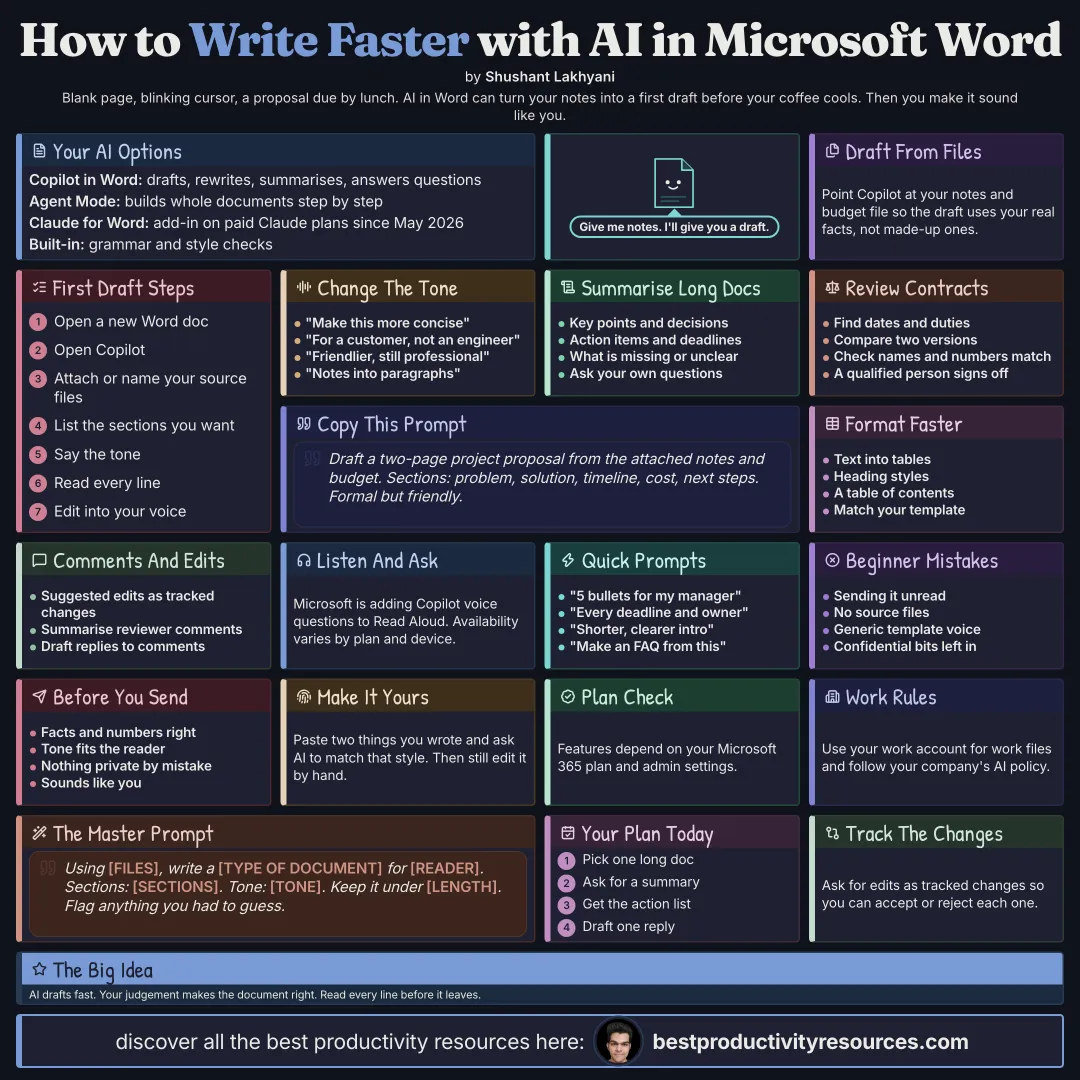
A free guide to using AI for Microsoft Word in October 2026: Copilot in Word and Agent Mode, Claude for Word, drafting from files, rewriting and tone, summaries, reviewing long documents, formatting and tables, comments and tracked changes, Read Aloud with Copilot, checking, privacy, and prompts.
Drafts, rewrites, and summarizes, and answers questions about a document
Agent Mode
Builds and edits entire documents from one request, step by step
Claude for Word
An add-in for paid Claude plans, generally available since May 2026
Editor
Word’s built-in grammar and style checker
What you get depends on your Microsoft 365 plan and your admin’s settings.
AI drafts quickly. Your judgment makes the document right.
02
Draft from your files
Draft a two-page project proposal from the attached notes and budget file. Include these sections: problem, solution, timeline, cost, and next steps. Use a formal but friendly tone.
Point to existing files so the draft is built on your real facts.
03
Rewrite and change tone
“Make this shorter and tighter.”
“Rewrite this for a customer instead of an engineer.”
“Make this warmer but keep it professional.”
“Expand these notes into full paragraphs.”
04
Summarize long documents
Ask for a summary of key points and decisions
Ask direct questions about the document
Ask for every action item and deadline
Ask what is missing or unclear
05
Review contracts and reports
Pull out key dates, obligations, and risks
Compare two versions of one document
Check that names and numbers stay consistent
Get a qualified person to review any legal content
06
Format faster
Convert text into tables
Apply heading styles for a clean structure
Generate a table of contents
Match your company template
07
Work with comments and changes
Have AI suggest edits as tracked changes where supported
Summarize reviewer feedback
Draft responses to comments
08
Listen and ask
Microsoft is bringing Copilot voice questions to Word’s Read Aloud, so you can ask about a document out loud while it reads to you. Availability depends on your plan and device.
09
Check before sending
Facts, names, and numbers are accurate
The tone suits the reader
No confidential detail slipped in by mistake
It sounds like you, not like a template
10
Try these prompts
“Summarize this document in five bullets for my manager.”
“List every deadline and owner in this document.”
“Rewrite the introduction so it is clearer and shorter.”
“Build an FAQ section from this document.”
The golden rule
Never send an AI draft you have not read. Use AI for speed, and your own eyes for accuracy and voice.
Copilot
Agent Mode
Draft
Rewrite
Summarize
Review
Check
Pick a long document you need to read this week, and ask AI for a summary plus a list of actions.
What does “How to Use AI for Microsoft Word” cover?
It has 10 sections, starting with “Know your AI options in Word”, “Draft from your files”, “Rewrite and change tone” and “Summarize long documents”, plus 6 more sections.
How long does it take to read?
About 2 minutes. Every section is a short, self-contained card, so you can jump straight to the part you need.
Is this guide free?
Yes. The full guide is free to read on this page, with no sign-up.
For research and ideas only. Results vary and nothing here is a promise of income. See our Disclaimer.
See you Monday!
Weekly newsletter
Everything new, every Monday.
One short email every Monday with everything shipped that week: new free tools and websites, new guides, new free browser tools and what's new in my free Gumroad libraries, plus how the site is growing. Free, and you can unsubscribe anytime.
You sign up on Gumroad, which stores your email to send the newsletter. See our Privacy Policy.
Cookies and your choices
Visits are counted by Cloudflare Web Analytics, which sets no cookies and stores nothing on your device. An affiliate tracking script from Impact.com also loads on our pages and can set its own cookies so partner companies can credit us for sign-ups. Essential storage is always on so pages load and work correctly. You decide whether your browsing preferences are saved on your device. Read the Privacy Policy.