Understand every kind of Microsoft Copilot and how to use it at home and at work
10 bite-sized sections
3 min read
Free, no signup
Short answer
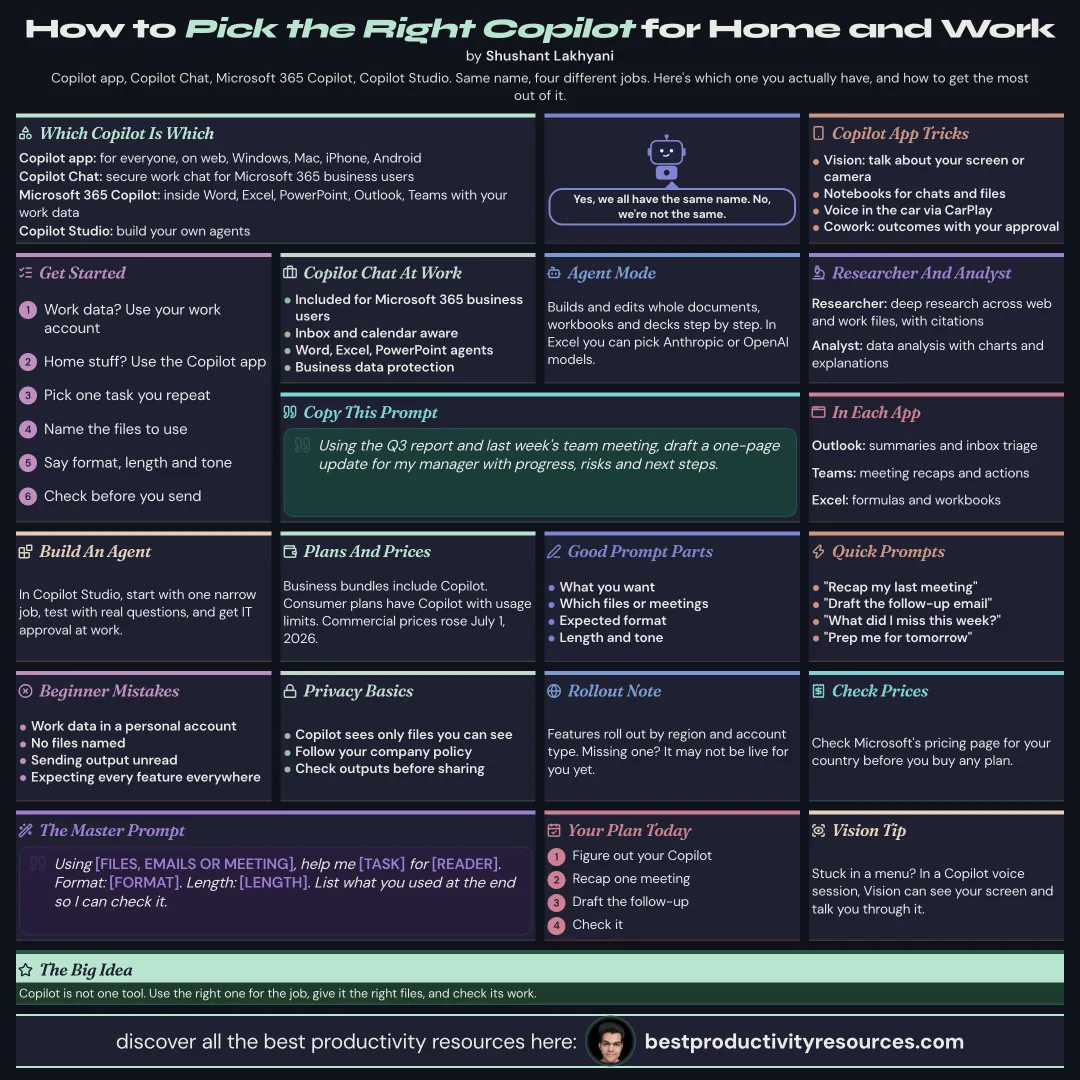
A free Microsoft Copilot guide as of October 2026: the Copilot app, Copilot Chat for work, Microsoft 365 Copilot, Agent Mode in Word, Excel, and PowerPoint, Copilot Cowork, Researcher and Analyst agents, Copilot Notebooks, Vision, model choice, Copilot Studio, plans, prompts, and privacy.
Microsoft’s AI assistant for everyone, on the web, Windows, Mac, iPhone, and Android
Copilot Chat
Secure AI chat for work, included with Microsoft 365 business accounts
Microsoft 365 Copilot
The full work edition inside Word, Excel, PowerPoint, Outlook, and Teams, with access to your work data
Copilot Studio
A builder for creating your own agents
One name, different jobs. Know which Copilot you have open.
02
Use the Copilot app
Chat, research, and write
Vision: discuss what is on your screen or camera during voice sessions
Copilot Notebooks that gather chats, files, and notes
Voice while driving, through CarPlay on iPhone
Copilot Cowork: describe an outcome and let Copilot pull context and work across tools, with your approval
Feature rollout varies by region and account type.
03
Use Copilot Chat at work
Included for every Microsoft 365 business user
Awareness of your inbox and calendar
Access to Word, Excel, and PowerPoint agents
Business data protection on work accounts
04
Try Agent Mode in Office apps
Agent Mode lets Copilot build and edit entire documents, workbooks, and presentations step by step from one request, checking its work along the way. In Excel, you can pick Anthropic or OpenAI models. Availability depends on your plan and admin settings.
05
Run Researcher and Analyst
Researcher
Deep research across the web and your work files, with citations included
Analyst
Data analysis on spreadsheets and files, with charts and explanations included
06
Use Copilot in each app
Word
Draft, rewrite, summarize, and review your documents
Excel
Formulas, analysis, charts, and complete workbooks
PowerPoint
Decks built from documents, plus rewrites and custom skills
Outlook
Email summaries, drafts, and inbox triage
Teams
Meeting recaps, action items, and catch-ups on missed calls
07
Compare plans and pricing
Microsoft sells business bundles that include Copilot, such as Business Standard with Copilot and Business Premium with Copilot, and Microsoft 365 consumer plans include Copilot features with usage limits. Microsoft raised commercial suite prices starting July 1, 2026. Check Microsoft’s pricing page for your country before you buy.
08
Build your own agents
Copilot Studio lets you build agents that answer questions from your documents or automate tasks. Start with one narrow job, test it on real questions, and get IT approval at work.
09
Write good prompts
Goal
The result you want
Context
The files, emails, or meetings to draw on
Source
Specific documents to reference
Expectations
Format, length, and tone of the answer
Using the Q3 report and last week’s team meeting, draft a one-page update for my manager covering progress, risks, and next steps.
10
Protect privacy and safety
Keep work data in your work account
Copilot sees only the files you have permission to see
Stick to your company’s AI policy
Check every output before you send or share it
Follow the golden rule
Do not treat Copilot as a single tool. Pick the right Copilot for the job, give it the right files, and check its work.
Copilot app
Copilot Chat
Microsoft 365
Agent Mode
Researcher
Studio
Privacy
This week, ask Copilot to recap your last meeting and draft the follow-up email.
It has 10 sections, starting with “Tell the Copilots apart”, “Use the Copilot app”, “Use Copilot Chat at work” and “Try Agent Mode in Office apps”, plus 6 more sections.
How long does it take to read?
About 3 minutes. Every section is a short, self-contained card, so you can jump straight to the part you need.
Is this guide free?
Yes. The full guide is free to read on this page, with no sign-up.
For research and ideas only. Results vary and nothing here is a promise of income. See our Disclaimer.
See you Monday!
Weekly newsletter
Everything new, every Monday.
One short email every Monday with everything shipped that week: new free tools and websites, new guides, new free browser tools and what's new in my free Gumroad libraries, plus how the site is growing. Free, and you can unsubscribe anytime.
You sign up on Gumroad, which stores your email to send the newsletter. See our Privacy Policy.
Cookies and your choices
Visits are counted by Cloudflare Web Analytics, which sets no cookies and stores nothing on your device. An affiliate tracking script from Impact.com also loads on our pages and can set its own cookies so partner companies can credit us for sign-ups. Essential storage is always on so pages load and work correctly. You decide whether your browsing preferences are saved on your device. Read the Privacy Policy.