Skip to content
Day 69: new resources are added every day. See what's new

Free guide

How to Use AI Tools to Grow on Instagram

Use AI to plan, create, and improve Reels, carousels, and Stories that grow your account

  • 11 bite-sized sections
  • 2 min read
  • Free, no signup

Short answer

A free guide to growing on Instagram with AI tools in October 2026: positioning, content pillars, Reels with Edits and AI video, carousels and design, captions, hooks, Stories, collaborations, analytics, Meta AI, labels for AI content, and a weekly routine.

Updated

Built with love by Shushant Lakhyani. Building bestproductivityresources.com

Inside this guide

Short cards you can read in order or jump straight to. Tap the link icon on any card to share just that part.

01

Know what grows on Instagram now

  • Reels, to reach new people
  • Carousels, to earn saves and shares
  • Stories, to connect with followers
  • DMs and shares, to signal real value

Make content people want to send to a friend.

02

Position your account

I want to grow an Instagram account about [topic] for [audience]. Write me a one-line bio, four content pillars, and ten post ideas people would save or share.

03

Make Reels with AI help

  • Script short Reels with AI, then deliver them in your own words
  • Edit in Instagram’s Edits app, which offers templates and audio tools
  • Add captions for people watching on mute
  • Use AI video tools for b-roll, never to fake real events
  • Hook viewers in the first one to two seconds
04

Design carousels faster

  • Outline each carousel with AI: hook slide, value slides, summary, and call to action
  • Design in Canva or another design tool using your brand template
  • Keep one idea per slide, in large text
  • Close with a reason to save or share
05

Write captions and hooks

Write five hook lines and a short caption for this Reel about [topic]. Keep it conversational and in my voice, with one clear call to action and no hashtag spam.

Edit every caption until it sounds like you.

06

Use Stories well

  • Polls and questions that reveal what followers want
  • Moments from behind the scenes
  • Reshares of your newest posts
  • Answers turned into future content ideas
07

Grow with others

  • Run collab posts with creators in your niche
  • Leave thoughtful comments on related accounts
  • Answer every comment and DM you can
08

Learn from insights

  • Check reach, saves, shares, and follows for every post
  • Have AI spot patterns across your top ten posts
  • Do more of what works, in fresh ways
  • Try a new format every month
09

Use Meta AI inside Instagram

Meta’s AI features in its apps change often and roll out country by country. Use them for ideas, captions, and quick edits where available, and review what they produce.

10

Follow the rules

  • Label realistic AI-generated content wherever Instagram asks
  • Use only music, images, and clips you hold the rights to
  • Disclose every paid partnership
  • Never buy followers or join engagement pods or bots
11

Follow a weekly routine

Monday
Plan the week’s posts with AI
Tuesday to Friday
Post three to four Reels and two carousels
Daily
Post Stories and reply
Sunday
Review insights and log ideas

Keep the golden rule

Do not post AI content to feed the algorithm. Use AI to make useful, beautiful posts that people save and share.

  • Reels
  • Carousels
  • Stories
  • Captions
  • Collabs
  • Insights
  • Rules

Plan next week’s posts with AI today, and build one carousel people would want to save.

Share this guide

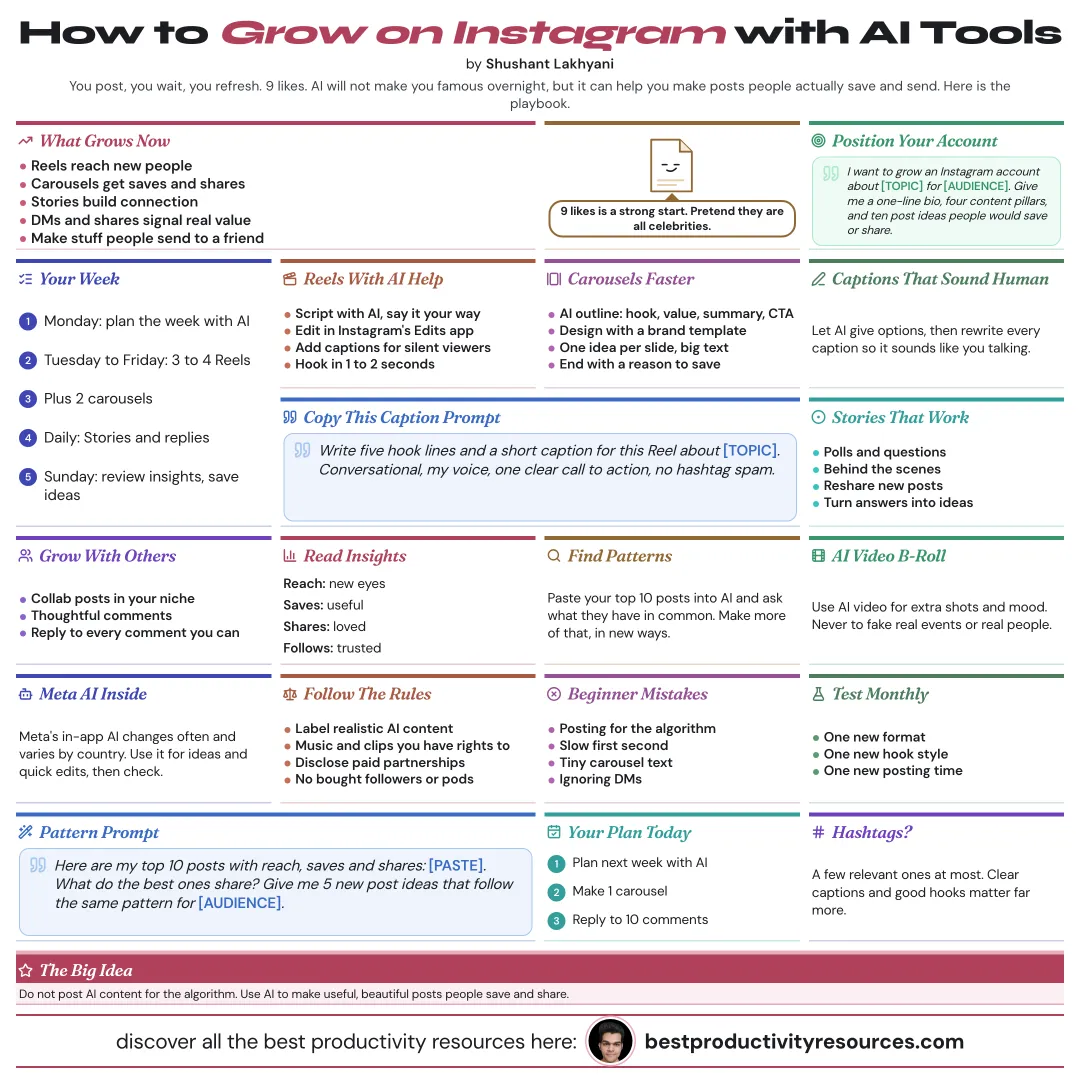
The whole guide on one page

The same guide as one infographic. Save it, pin it or share it.

Frequently asked questions

The quick answers, if you just need the gist.

What does “How to Use AI Tools to Grow on Instagram” cover?
It has 11 sections, starting with “Know what grows on Instagram now”, “Position your account”, “Make Reels with AI help” and “Design carousels faster”, plus 7 more sections.
How long does it take to read?
About 2 minutes. Every section is a short, self-contained card, so you can jump straight to the part you need.
Is this guide free?
Yes. The full guide is free to read on this page, with no sign-up.
When was this guide last updated?
It was last updated in October 2026.

Keep reading

More free guides you might like. Still no signup.

Free Notion database

1,100+ ways people are making money online

Real online businesses, creators and projects, broken down by how they make money: apps, online stores, AI tools and more. Free on Gumroad.

Get the free database

Free Notion database

399+ ways to make money online

Hundreds of online income methods in one place, so you can compare options and pick one to try. Free on Gumroad.

Get the free list

For research and ideas only. Results vary and nothing here is a promise of income. See our Disclaimer.

Weekly newsletter

Everything new, every Monday.

One short email every Monday with everything shipped that week: new free tools and websites, new guides, new free browser tools and what's new in my free Gumroad libraries, plus how the site is growing. Free, and you can unsubscribe anytime.

Join the newsletter

You sign up on Gumroad, which stores your email to send the newsletter. See our Privacy Policy.