Use Meta’s Advantage+ AI and other AI tools to make, target, and improve Facebook and Instagram ads
9 bite-sized sections
2 min read
Free, no signup
Short answer
A free guide to using AI tools for Meta ads in 2026: Advantage+ campaigns, Advantage+ creative, generative AI ad variations, image expansion, audience and budget automation, making creative with AI tools, copy, testing, tracking with Pixel and Conversions API, AI disclosure rules, and a launch checklist.
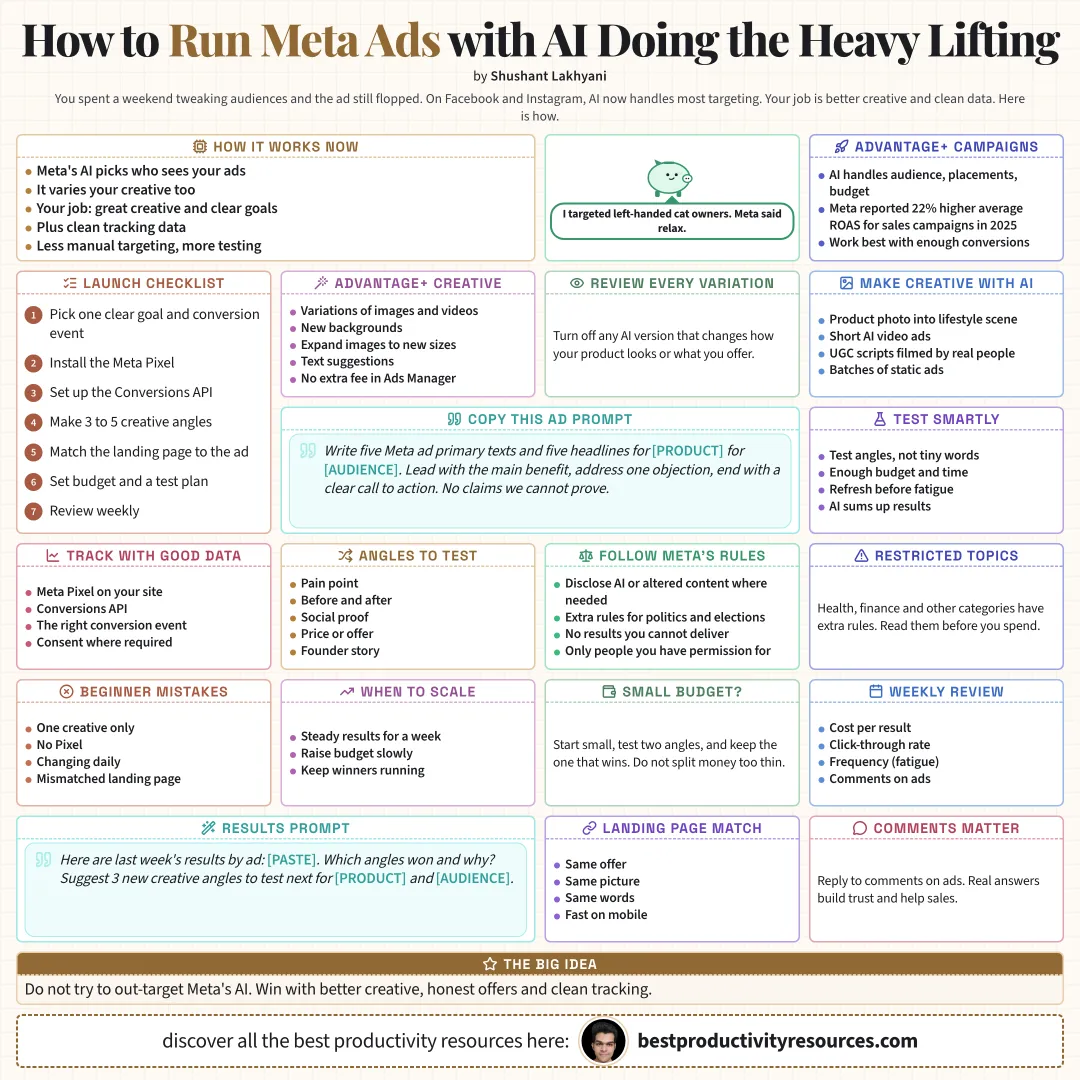
Meta applies AI to nearly every part of advertising on Facebook and Instagram, from who sees your ads to how your creative gets varied. Your job has moved from manual targeting to supplying strong creative, clear goals, and clean data.
Give Meta’s AI strong creative and good data, then let it find the buyers.
02
Run Advantage+ campaigns
Use AI to automate audience, placements, and budget
Meta reported a 22% higher average return on ad spend for Advantage+ sales campaigns in 2025
Perform best with enough conversion data
Still depend on strong creative and offers
03
Use Advantage+ creative
Meta’s generative tools sit inside Ads Manager at no extra fee and can:
Produce variations of images, videos, and carousels
Generate fresh backgrounds
Expand images to fit other aspect ratios
Propose text variations
Apply effects and enhancements
Review every variation. Switch off any that alter how your product looks or what it offers.
04
Build creative with other AI tools
Image models that turn product photos into lifestyle scenes
AI video tools for short video ads
AI-written UGC-style scripts, filmed by real people
Ad tools such as Higgsfield Ads Studio for batches of static ads
05
Write ad copy
Write five Meta ad primary texts and five headlines for [product] aimed at [audience]. Open with the main benefit, handle one objection, and close with a clear call to action. Make no claims we cannot prove.
06
Test smartly
Test distinct angles, not tiny wording tweaks
Give every test enough budget and time
Keep winners live and refresh them before fatigue sets in
Have AI summarize results and propose the next test
07
Track with clean data
Install the Meta Pixel on your website
Add the Conversions API for more reliable tracking
Pick the right conversion event
Follow privacy laws and collect consent where required
08
Follow Meta’s rules
Disclose AI-generated or altered content wherever Meta requires it, especially for social issues, elections, or politics
Never promise results or products you cannot deliver
Follow the rules for health, finance, and other restricted categories
Feature only people and likenesses you have permission to use
09
Run the launch checklist
A clear goal and conversion event
Pixel and Conversions API both working
Three to five strong angles for creative
A landing page that matches your ad
A budget and a testing plan
A weekly review routine
The golden rule
Do not try to out-target Meta’s AI. Win with stronger creative, honest offers, and clean tracking.
Advantage+
Creative
Variations
Copy
Testing
Tracking
Rules
This week, create three new creative angles for your best product and test them in a single Advantage+ campaign.
What does “How to Use AI Tools for Meta Ads” cover?
It has 9 sections, starting with “See how AI runs Meta ads now”, “Run Advantage+ campaigns”, “Use Advantage+ creative” and “Build creative with other AI tools”, plus 5 more sections.
How long does it take to read?
About 2 minutes. Every section is a short, self-contained card, so you can jump straight to the part you need.
Is this guide free?
Yes. The full guide is free to read on this page, with no sign-up.
For research and ideas only. Results vary and nothing here is a promise of income. See our Disclaimer.
See you Monday!
Weekly newsletter
Everything new, every Monday.
One short email every Monday with everything shipped that week: new free tools and websites, new guides, new free browser tools and what's new in my free Gumroad libraries, plus how the site is growing. Free, and you can unsubscribe anytime.
You sign up on Gumroad, which stores your email to send the newsletter. See our Privacy Policy.
Cookies and your choices
Visits are counted by Cloudflare Web Analytics, which sets no cookies and stores nothing on your device. An affiliate tracking script from Impact.com also loads on our pages and can set its own cookies so partner companies can credit us for sign-ups. Essential storage is always on so pages load and work correctly. You decide whether your browsing preferences are saved on your device. Read the Privacy Policy.