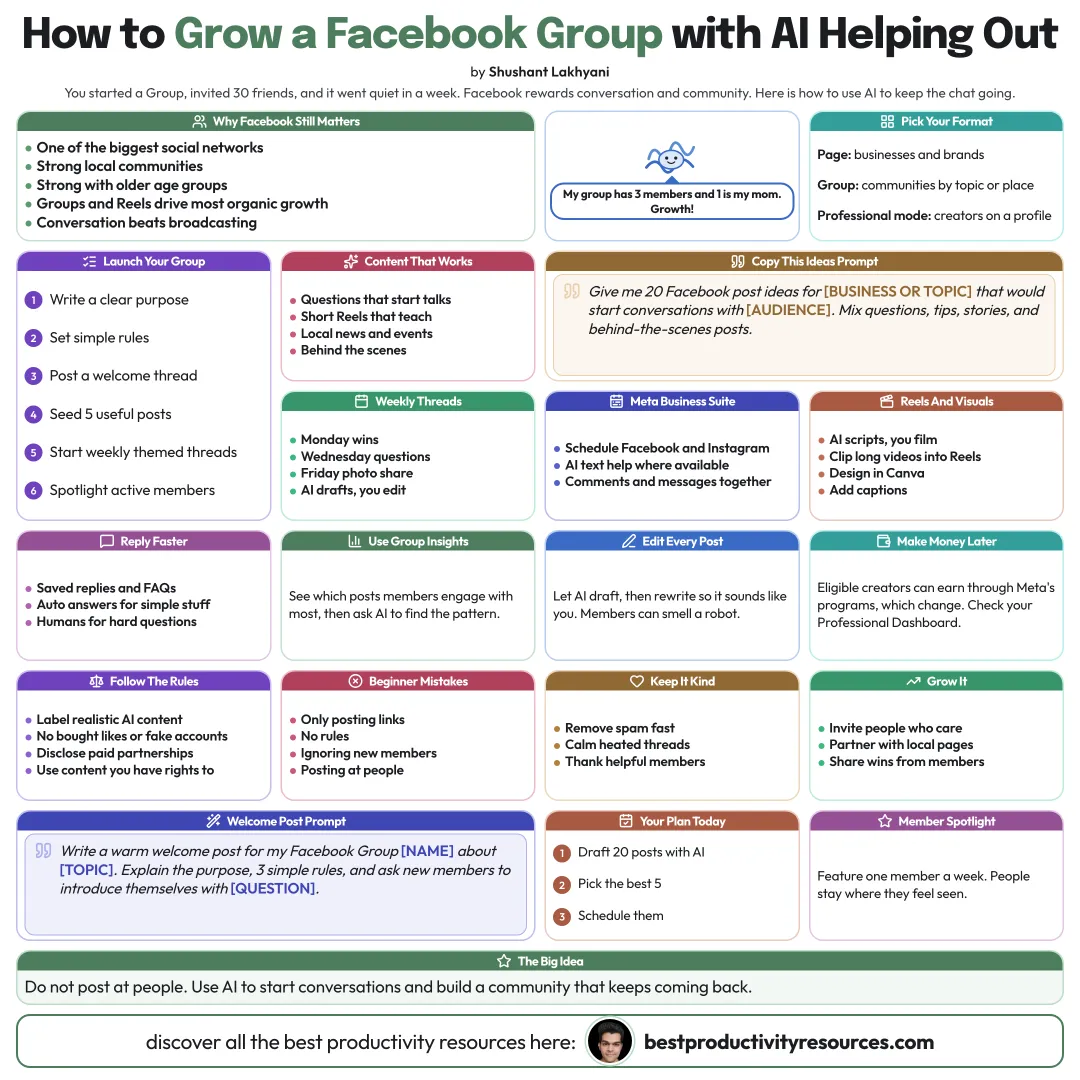
Grow a Facebook Page, Group, or creator profile with AI-assisted content, community, and insights
11 bite-sized sections
2 min read
Free, no signup
Short answer
A free guide to organic Facebook growth with AI tools in 2026: who is on Facebook, Pages vs Groups vs professional mode, content that works, Reels, AI for ideas, posts, and visuals, growing a Group, Meta Business Suite, Messenger replies, insights, monetization basics, rules, and a weekly routine.
Facebook is still one of the world’s largest social networks, with especially strong communities, local audiences, and older age groups. Most organic growth now happens in Groups and Reels.
Facebook rewards conversation and community over broadcasting.
02
Choose your format
Page
For businesses and brands
Group
For communities built around a topic or a place
Professional mode
For creators growing an audience on a personal profile
03
Post content that works
Short Reels that entertain or teach something
Questions that spark conversations
Local news and events, for local pages
Behind-the-scenes posts
Useful photo posts and simple graphics
04
Use AI for ideas and drafts
Give me 20 Facebook post ideas for [business or topic] that would spark conversations with [audience]. Mix in questions, tips, stories, and behind-the-scenes posts.
Edit every post until it sounds like you or your brand.
05
Make Reels and visuals
Script short Reels with AI, then shoot them yourself
Cut long videos into Reels with AI clipping tools
Design graphics in Canva or another AI design tool
Add captions for people watching on mute
06
Grow a Facebook Group
A clear purpose and clear rules
Welcome posts for every new member
Weekly themed threads drafted with AI
Answers to questions and member spotlights
Group insights that show what members engage with
07
Plan in Meta Business Suite
Schedule Facebook and Instagram posts from one place
Use its AI features for text and ideas, where available
Handle comments and messages in one inbox
08
Reply faster
Set up saved replies and FAQs in Messenger
Use automated answers for simple questions only
Pass complex questions to a real person
09
Learn from your insights
Track reach, engagement, and new follows
Ask AI to spot patterns in your top posts
Post more of whatever sparks comments and shares
10
Learn the monetization basics
Eligible creators can earn through Meta’s creator monetization programs, which change over time. Check Meta’s Creator and Professional Dashboard to see what is open to you.
11
Follow the rules
Label realistic AI-generated content wherever Meta requires it
Never buy likes or followers, and never use fake accounts
Disclose every paid partnership
Post only content you have the rights to
The golden rule
Do not talk at people. Use AI to help you start conversations and build a community that keeps coming back.
Pages
Groups
Reels
Ideas
Business Suite
Insights
Rules
This week, draft 20 conversation-starting posts with AI and schedule the five best.
What does “How to Use AI Tools for Facebook Growth” cover?
It has 11 sections, starting with “See why Facebook still matters”, “Choose your format”, “Post content that works” and “Use AI for ideas and drafts”, plus 7 more sections.
How long does it take to read?
About 2 minutes. Every section is a short, self-contained card, so you can jump straight to the part you need.
Is this guide free?
Yes. The full guide is free to read on this page, with no sign-up.
For research and ideas only. Results vary and nothing here is a promise of income. See our Disclaimer.
See you Monday!
Weekly newsletter
Everything new, every Monday.
One short email every Monday with everything shipped that week: new free tools and websites, new guides, new free browser tools and what's new in my free Gumroad libraries, plus how the site is growing. Free, and you can unsubscribe anytime.
You sign up on Gumroad, which stores your email to send the newsletter. See our Privacy Policy.
Cookies and your choices
Visits are counted by Cloudflare Web Analytics, which sets no cookies and stores nothing on your device. An affiliate tracking script from Impact.com also loads on our pages and can set its own cookies so partner companies can credit us for sign-ups. Essential storage is always on so pages load and work correctly. You decide whether your browsing preferences are saved on your device. Read the Privacy Policy.