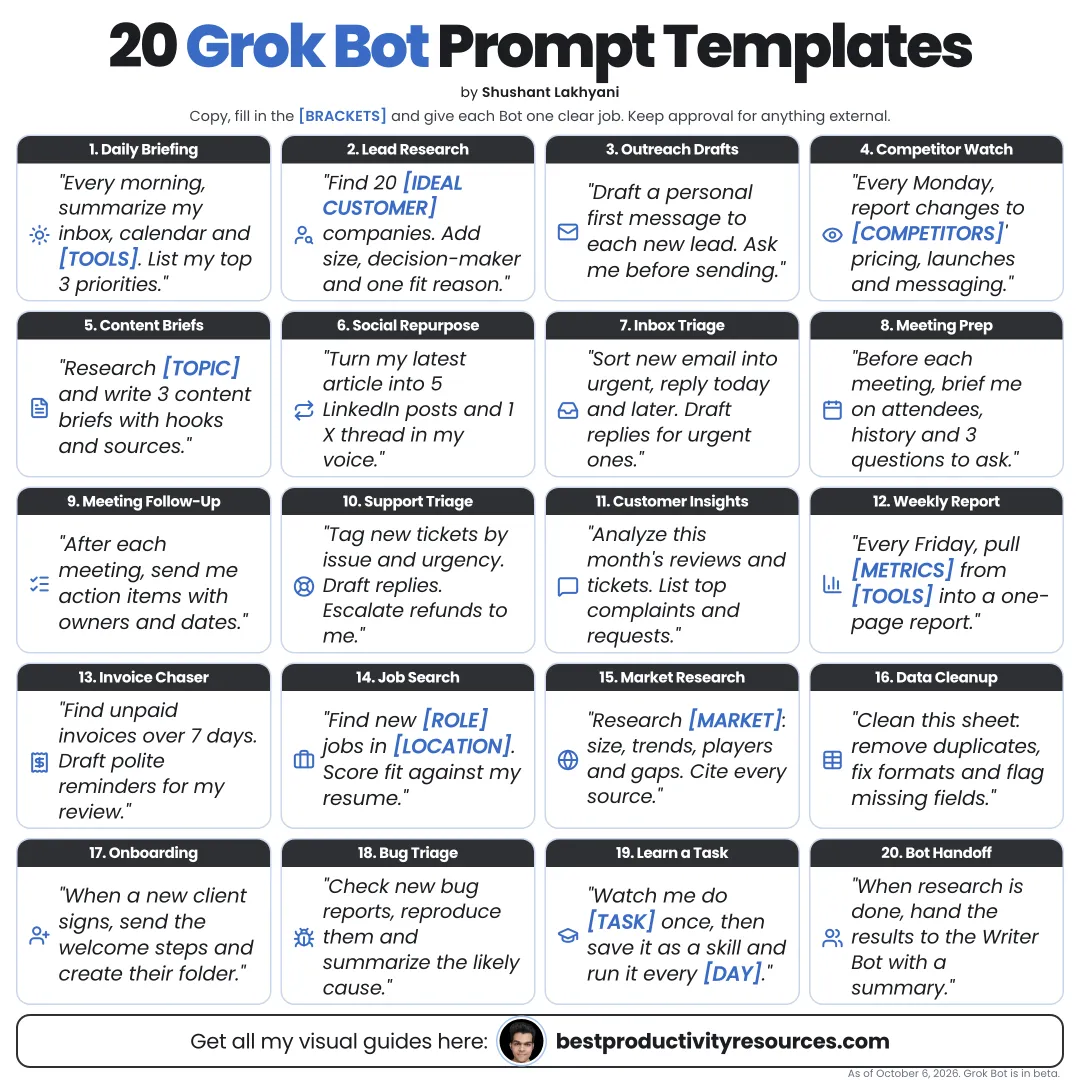
Turn Grok Bot into a reliable teammate with copy-ready prompt templates for research, sales, operations, content, and personal work
11 bite-sized sections
5 min read
Free, no signup
Short answer
A free collection of 20 Grok Bot prompt templates for October 2026: bot job descriptions, research, sales, operations, content, personal productivity, skills, and routines, with bracketed fields to fill in and approval rules built in.
Grok Bot is xAI’s app for AI teammates. Bots run on a cloud computer, sign in to your tools, and take actions instead of only answering questions.
A strong Grok Bot prompt states:
The goal
The tools to use
The things to skip
The output format
The place to save it
The steps that need your approval
The point to stop and ask
Every template below ends with an approval rule. Leave it in.
02
Use these templates well
Swap every [bracket] for your own details
Cut any tools you do not use
Run it once and check the result carefully
Save the templates that work as skills or routines
Never put passwords or two-factor codes in a prompt
03
Set up your bot
1 · Write the bot job description
Name: [name]. Job: [one job]. Description: You help me with [work] for [business or life area]. Use only [tools]. Never [forbidden actions]. Check with me before sending, paying, posting, or deleting anything.
2 · First conversation
Before we begin, ask me up to ten questions about my goals, tools, preferences, and limits for [job]. Then summarize what you learned and list the access you need.
04
Run research
3 · Build a company research brief
Research [company] with public sources. Write a one-page brief covering what they do, customers, recent news, competitors, and three likely challenges. Link a source for every claim. Save it to [location].
4 · Competitor tracker
Every [day], check [competitor list] for new launches, pricing changes, and announcements. Log changes in [tracker] with links, and message me only when something important changed.
5 · Market scan
Find the main tools or services for [problem] used by [audience]. Compare price, key features, and public review themes in a sourced table. Flag anything you could not verify.
05
Support sales
6 · Lead list
Find [number] companies that match: [ideal customer]. Use only public business sources. For each one, note a recent signal, the right role to contact, and a fit score with reasons. Skip existing customers in [CRM].
7 · Outreach drafts
For each lead in [list], draft a short first message that mentions their recent signal and offers [value]. Save the drafts to [location]. Do not send anything.
8 · Call prep
Before my call with [company] at [time], prepare a brief with a company summary, recent news, likely problems, five questions to ask, and relevant examples from [our case studies].
9 · CRM update
After each call note I add to [location], update [CRM] with the summary, deal stage, next step, and follow-up date. Check with me before changing deal values.
06
Run operations
10 · Invoice processing
Check [inbox] for new invoices. Pull supplier, amount, due date, and invoice number into [tracker]. Flag duplicates and anything odd. Never pay or reply.
11 · Bug report
Reproduce the issue in [report] in [environment]. Record the steps, expected and actual results, and screenshots. File a ticket in [tool] and send me the link.
12 · Onboarding checklist
Prepare onboarding for [new hire] starting [date] as [role]: a checklist, the accounts to request, the documents to share, and a first-week schedule. Check with me before creating any account.
13 · Weekly report
Every Monday at [time], pull last week’s [metrics] from [tools] into a one-page report with changes, likely reasons, and one recommendation. Message me the summary.
07
Create content
14 · Content repurposing
Turn [article or transcript] into a LinkedIn post, an X thread, and a newsletter section in my voice, using [voice guide]. Save each one as a draft. Do not publish.
15 · Review replies
Gather new reviews from [platforms]. Draft a short, polite reply to each in our voice, and flag any that need a personal reply from me. Do not post any replies.
08
Boost personal productivity
16 · Morning briefing
Every weekday at [time], summarize my calendar, the five most important unread emails, and this week’s deadlines. Draft replies to urgent emails. Do not send.
17 · Travel planning
Find options for a trip to [place] from [date] to [date] within [budget]: flights, hotels near [area], and local transport. Compare them in a table with links. Do not book or hold anything.
18 · Subscription audit
Using email receipts in [inbox], list my subscriptions with price, renewal date, and last use where visible. Suggest which to cancel. Do not cancel anything.
09
Build skills and routines
19 · Teach the bot a skill
Watch me do [task] once. Then describe the steps you learned, ask about anything unclear, and save them as a skill called [name]. Run it once on [test input] so I can check it.
20 · Turn a skill into a routine
Turn the [skill name] skill into a routine that runs every [schedule]. Before each run, check [condition]. After each run, message me what you did and anything awaiting my approval.
10
Add these lines to every template
“Ask me about anything unclear before you start.”
“Show me your plan before you take action.”
“Link a source for every important claim.”
“Never send, post, pay, delete, or share data without my approval.”
“When you finish, summarize what you did and what still needs me.”
11
Keep templates safe
Give each bot only the access its template needs
Keep Auto-review on Ask first for risky actions
Watch the first runs of every routine
Remember that all your bots share one cloud computer
Pause routines you stop needing
Follow the golden rule
Stop writing a new prompt every time. Save the templates that work, and turn the best into skills and routines.
Goal
Tools
Output
Location
Approval
Skill
Routine
Start today with the morning briefing or the company research brief. Refine it until you trust the result.
It has 11 sections, starting with “Learn why Grok Bot needs different prompts”, “Use these templates well”, “Set up your bot” and “Run research”, plus 7 more sections.
How long does it take to read?
About 5 minutes. Every section is a short, self-contained card, so you can jump straight to the part you need.
Is this guide free?
Yes. The full guide is free to read on this page, with no sign-up.
For research and ideas only. Results vary and nothing here is a promise of income. See our Disclaimer.
See you Monday!
Weekly newsletter
Everything new, every Monday.
One short email every Monday with everything shipped that week: new free tools and websites, new guides, new free browser tools and what's new in my free Gumroad libraries, plus how the site is growing. Free, and you can unsubscribe anytime.
You sign up on Gumroad, which stores your email to send the newsletter. See our Privacy Policy.
Cookies and your choices
Visits are counted by Cloudflare Web Analytics, which sets no cookies and stores nothing on your device. An affiliate tracking script from Impact.com also loads on our pages and can set its own cookies so partner companies can credit us for sign-ups. Essential storage is always on so pages load and work correctly. You decide whether your browsing preferences are saved on your device. Read the Privacy Policy.