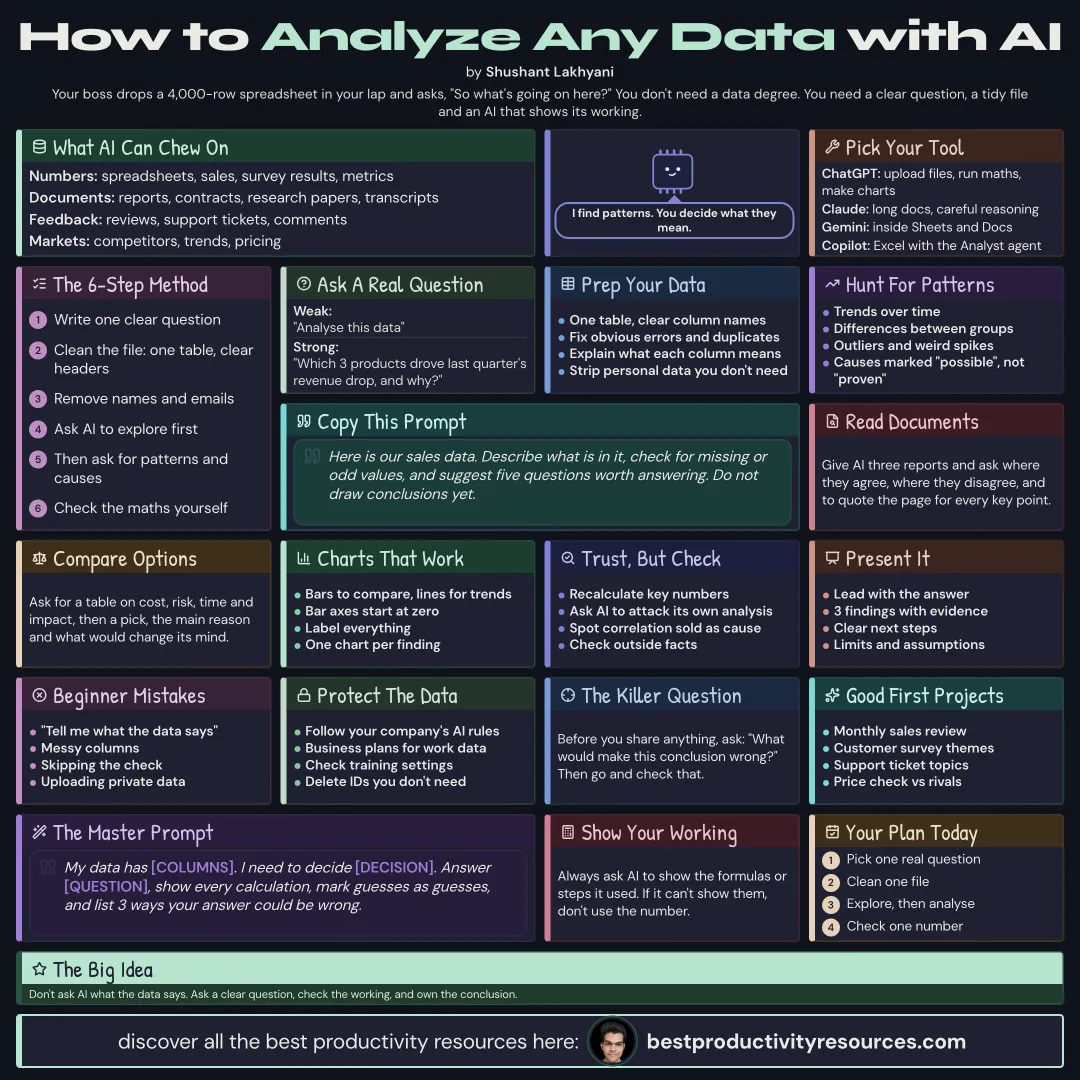
Turn data, documents, and research into clear answers, with AI doing the heavy lifting and you checking the logic
12 bite-sized sections
2 min read
Free, no signup
Short answer
A free guide to using AI for analysis in 2026: types of analysis, choosing tools such as ChatGPT, Claude, Gemini, and Copilot, defining the question, preparing data, exploring, finding patterns, analysing documents, comparing options, charts, checking results, presenting findings, privacy, and prompts.
Spreadsheets, sales figures, survey results, and metrics
Documents
Reports, contracts, research papers, and transcripts
Feedback
Reviews, support tickets, and comments
Markets
Competitors, trends, and pricing
Decisions
Options, risks, and trade-offs
AI spots patterns quickly. You decide what they mean.
02
Pick the right tool
ChatGPT
Takes file uploads, analyzes them, runs calculations, and builds charts
Claude
Handles long documents and careful reasoning well, and offers Claude for Excel
Gemini
Runs inside Google Sheets and Docs, with a very long context window
Microsoft Copilot
Runs inside Excel, Word, and Teams, with the Analyst agent for data work
03
Start with a clear question
Vague
Analyze this data
Clear
Which three products caused last quarter’s revenue drop, and why?
A good question tells AI what to look for and which decision the answer supports.
04
Prepare your data
Use one table with clear column names
Strip out personal data you do not need
Fix obvious errors and remove duplicates
Explain what every column means
05
Explore first
Here is our sales data. Describe what it contains, flag missing or odd values, and suggest five questions worth answering. Hold off on conclusions for now.
06
Find patterns and causes
Trends over time
Differences between groups
Outliers and unusual events
Possible causes, labeled as possible rather than proven
Have AI show the calculations behind each result so you can check them.
07
Analyze documents
Compare these three reports. List where they agree, where they disagree, and the evidence each one offers. Cite the page for every key point.
08
Compare options
Compare these options in a table on cost, risk, time, and impact. Then give your recommendation, the main reason for it, and what would change your mind.
09
Make clear charts
Ask for the chart that answers the question best
Use bars for comparisons and lines for trends
Start every bar chart axis at zero
Label every element clearly
10
Check the results
Recalculate the key numbers yourself
Have AI hunt for weaknesses in its own analysis
Watch for correlation dressed up as cause
Test each conclusion against what you already know
Verify the source of every outside fact
Always ask what would prove this conclusion wrong.
11
Present findings
The answer up front
Three key findings with evidence
One chart for each finding
Clear next steps
Limits and assumptions
12
Protect data
Follow your company’s rules on AI and data
Keep company data on business plans
Remove names, emails, and IDs wherever possible
Review your data and training settings
The golden rule
Do not ask AI what the data says. Ask a clear question, check the working, and own the conclusion yourself.
Question
Prepare
Explore
Patterns
Compare
Check
Present
Take one real business question this week and run it through the explore, analyze, and check steps.
It has 12 sections, starting with “Know what AI can analyze”, “Pick the right tool”, “Start with a clear question” and “Prepare your data”, plus 8 more sections.
How long does it take to read?
About 2 minutes. Every section is a short, self-contained card, so you can jump straight to the part you need.
Is this guide free?
Yes. The full guide is free to read on this page, with no sign-up.
For research and ideas only. Results vary and nothing here is a promise of income. See our Disclaimer.
See you Monday!
Weekly newsletter
Everything new, every Monday.
One short email every Monday with everything shipped that week: new free tools and websites, new guides, new free browser tools and what's new in my free Gumroad libraries, plus how the site is growing. Free, and you can unsubscribe anytime.
You sign up on Gumroad, which stores your email to send the newsletter. See our Privacy Policy.
Cookies and your choices
Visits are counted by Cloudflare Web Analytics, which sets no cookies and stores nothing on your device. An affiliate tracking script from Impact.com also loads on our pages and can set its own cookies so partner companies can credit us for sign-ups. Essential storage is always on so pages load and work correctly. You decide whether your browsing preferences are saved on your device. Read the Privacy Policy.