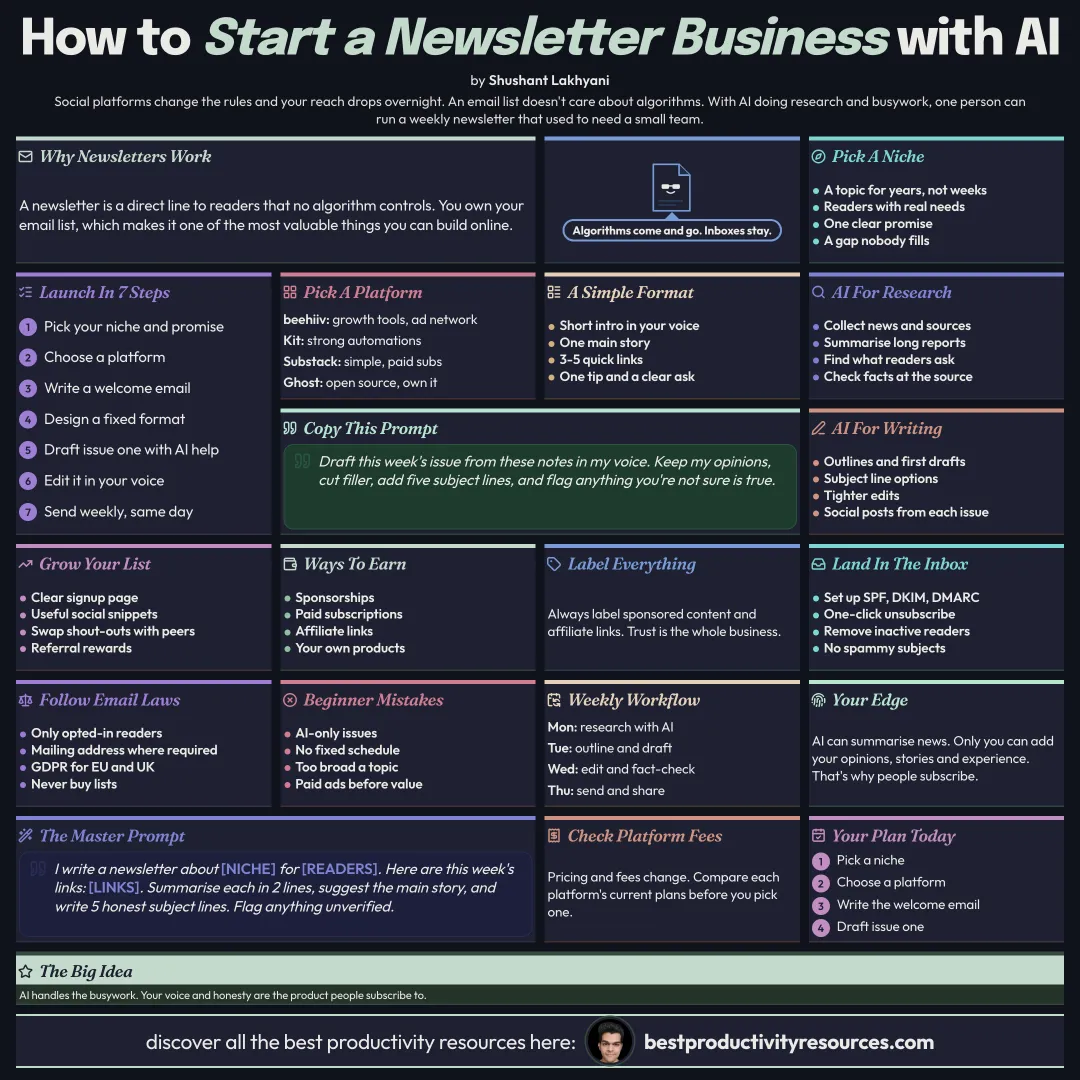
How to Build an Email Newsletter Business with AI Tools
Start, grow, and earn from a newsletter, with AI handling research and busywork while you bring the voice
11 bite-sized sections
3 min read
Free, no signup
Short answer
A free guide to building an email newsletter business with AI tools in 2026: picking a niche, choosing beehiiv, Kit, Substack, or Ghost, a repeatable format, AI for research, writing, and editing, growth tactics, sponsorships, paid subscriptions, ad networks and affiliates, deliverability, email laws, and a weekly workflow.
A newsletter gives you a direct line to readers that no algorithm controls. With AI tools, one person can research, write, and run a newsletter that once took a small team.
You own your email list. That makes it one of the most valuable assets you can build online.
02
Pick your niche
A topic you can cover every week for years
Readers with money to spend or professional needs
A clear promise, like “the 5 AI tools worth using this week”
A gap: something people want but cannot find in a single place
03
Choose your platform
beehiiv
Growth tools, a built-in ad network, and paid subscription options
Kit
Formerly ConvertKit, with strong automations for creators
Substack
Simple writing, paid subscriptions, and a network of readers
Ghost
Open source, with a website, memberships, and complete ownership
Check each platform’s current pricing and fees before you commit.
04
Design a repeatable format
A short intro in your own voice
The main story or key insight
Three to five quick links or tool picks
One practical tip or template
One clear call to action
A fixed format makes each issue easier to write and easier for readers to scan.
05
Research with AI
Gather news and sources with AI search tools
Condense long reports and videos
Spot what readers are asking in online communities
Verify facts against the original sources
06
Write with AI, not instead of yourself
Draft outlines and first versions
Generate subject line options
Tighten and polish your writing
Repurpose each issue into social posts
Draft this week’s issue from these notes in my voice. Keep my opinions, cut the filler, add five subject lines, and flag anything you are not sure is true.
Add your own opinions, stories, and experience. That is what people subscribe for.
07
Grow your list
A clear signup page plus a strong welcome email
Useful snippets posted on social media
Cross-promotions with similar newsletters
Referral rewards for readers who spread the word
Lead magnets, like a free guide or template
Paid growth, only once you know what a subscriber is worth
08
Earn from your newsletter
Sponsorships
Brands pay for placements. Often the main revenue for free newsletters
Ad networks
Platforms like beehiiv’s ad network pair you with advertisers
Paid subscriptions
Premium issues, back archives, or communities
Affiliates
Earn when readers buy the tools you recommend
Products
Courses, templates, guides, or services
Always label sponsored content and affiliate links clearly.
09
Land in the inbox
Configure SPF, DKIM, and DMARC on your sending domain
Add a one-click unsubscribe
Send on a steady schedule
Prune inactive subscribers regularly
Skip spammy subject lines
Gmail and Yahoo require these steps from anyone sending in bulk.
10
Follow email laws
Email only people who opted in
Add your physical mailing address where laws like CAN-SPAM require it
Follow GDPR and similar laws for readers in the EU and UK
Never buy email lists
11
Run a weekly workflow
Monday
Research with AI and save your ideas
Tuesday
Outline and draft the issue
Wednesday
Edit, fact-check, and design
Thursday
Send and share snippets
Friday
Review results and plan growth
Follow the golden rule
Do not let AI write a newsletter nobody feels. Let it handle the research and busywork so your voice and judgment can stand out.
Niche
Platform
Format
Research
Grow
Sponsors
Deliverability
This week, choose your niche, write a one-line promise, and send your first issue to ten people.
Earnings note: nothing here promises income. Any figures or examples are illustrations, not typical results; what you earn depends on your skills, effort, market and luck, and many people earn little or nothing. This is general information, not financial, legal or tax advice. See our disclaimer.
What does “How to Build an Email Newsletter Business with AI Tools” cover?
It has 11 sections, starting with “See why newsletters work”, “Pick your niche”, “Choose your platform” and “Design a repeatable format”, plus 7 more sections.
How long does it take to read?
About 3 minutes. Every section is a short, self-contained card, so you can jump straight to the part you need.
Is this guide free?
Yes. The full guide is free to read on this page, with no sign-up.
For research and ideas only. Results vary and nothing here is a promise of income. See our Disclaimer.
See you Monday!
Weekly newsletter
Everything new, every Monday.
One short email every Monday with everything shipped that week: new free tools and websites, new guides, new free browser tools and what's new in my free Gumroad libraries, plus how the site is growing. Free, and you can unsubscribe anytime.
You sign up on Gumroad, which stores your email to send the newsletter. See our Privacy Policy.
Cookies and your choices
Visits are counted by Cloudflare Web Analytics, which sets no cookies and stores nothing on your device. An affiliate tracking script from Impact.com also loads on our pages and can set its own cookies so partner companies can credit us for sign-ups. Essential storage is always on so pages load and work correctly. You decide whether your browsing preferences are saved on your device. Read the Privacy Policy.